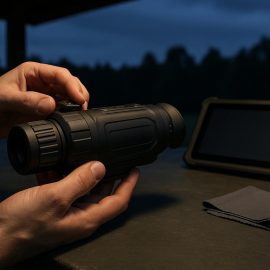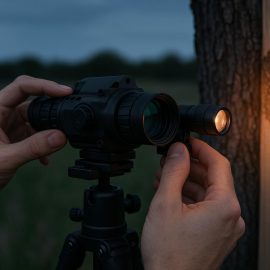
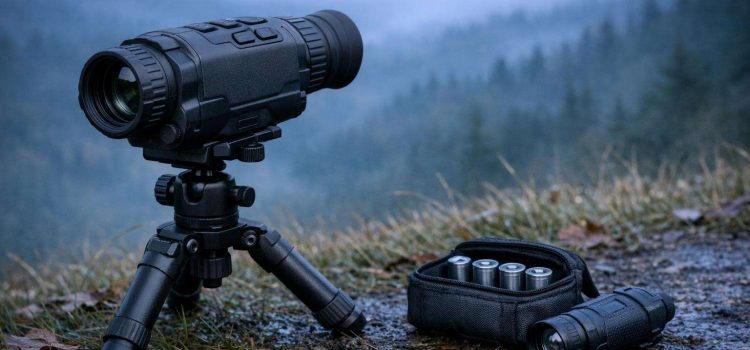
Note that the useful runtime first has to be proclaimed by the manufacturer, and this figure has to be compared to your own use and your observation behavior. We also have to consider all additional accessories, like the IR-illuminators, the digital recorders and other wireless systems. As soon as you use these additional functions the battery drain will increase drastically. We have to check if there are enough additional power sources available, and how much reserve we need for our sessions.
Treat the published figure as a reference point
Most manufacturers will supply a figure for the runtime of a battery. This will relate to a set of test conditions (e.g. a fresh battery, average settings, average display usage, infrared switched off where an onboard system is supplied). Therefore use the figure as a reference and read the operating instructions as well as the specification to see what test conditions were used. Note also any special reference to battery type, to use of the onboard IR system, to the use of recording etc.
Be sure to read the operating instructions in addition to the specification to find out about battery type(s), test settings and any settings restrictions concerning infrared illumination, recording, wireless transmitters, etc. and automatic power down. A night vision monocular that is in standby mode for most of the time will have different power consumption than one that is in full time use at maximum brightness with illumination switched on.
Use the typical runtime figures for comparison of night vision products, but treat the figures with due skepticism. Manufacturers can choose a test figure to best promote their product (e.g., a small battery in a very large unit). Typically a manufacturer will state a "conservative" or "typical" runtime figure, which will be better than an "ideal" figure quoted by a competing manufacturer.
Match power use to the way you observe
It is important to remember that your own habits of observation and use are far more important to plan for than the headings on a specification sheet. Someone who occasionally scans the sky over a long period and then switches off his observer's equipment between nights will have different demands put upon his batteries than someone who uses a digital scope for long periods of time observation.
It is not possible to list all the functions available for night vision equipment in detail. The functions you actually will use will affect the battery life. Typically functions like image enhancement, recording, wireless connectivity, onboard range-finding functions and image capture will consume more power than typical viewing. However, the effect on battery life will depend on the actual design of the night vision viewer.
It is also important to remember that a built-in infrared emitter runs from the main device's power, whereas a separate illuminator will have its own set of batteries which may affect the overall running time of your observations. Remember that the devices that require frequent switching of the IR on and off may actually have a limiting factor in the accessory itself.
Set your reserve capacity on the basis of your most prolonged observation session (plus time for switching on and off, repositioning, checking all your gear, etc.). Allow a little extra for any unforeseen events. In most cases you do not need to set up complex laboratory type calculations to arrive at a figure large enough to cope with minor variations in usage.
Choose a battery strategy you can manage
Ultimately, the best battery for you will balance the runtime that you require with the availability of the battery, its weight, its storage characteristics and the manufacturer's approved power requirements. Proprietary rechargeable packs are very good for charging up from a wall-socket and give a clear indication of the charge status in the device.
While the ability to replace cells on occasion can be a convenience, they must be matched, stored, and organized so that used batteries are not confused with new ones.
However, rechargeable and disposable cells are both suitable. Rechargeable cells are ideal for regular usage and a reliable charging infrastructure. However, for occasional usage, a sealed set of disposable cells can be very useful. However, these must meet the manufacturer's specifications. Chemicals, voltage and rechargable cells of different formats must not be mixed and used in the same compartment.
When looking at different models of equipment that can be powered by more than one type of battery, consult the manual, not general battery advice. Some devices will require special cells, will not allow the combination of certain types, and will behave differently as the voltage drops. Don't mix old and new cells of different types in the same place, and make sure you follow the manufacturer's instructions on how to mix and match different cells of the same type.
Build a reserve around the weakest link
The whole system (of devices) has to be planned for – not just the (main) scope. That means also the viewer, the external recorder, the binoculars and their accessories, the (head-)mounted light, etc. – in case you are going to use them for the session. And it is the smallest of these accessories that is most likely to fail first.
The reserve batteries should be stored separately from the ones in use. For long term storage in a pouch or container it is useful to organize the cells into 3 groups (new, half used, to be thrown away) and keep them in the correct order. The cells should be stored as recommended by their manufacturer. This typically means avoiding moisture, heat and metal.
It is easy to forget that rechargeable batteries can lose charge while stored. This includes while in your pocket or rucksack. If a spare is going to be used then check the charge before you go. Even a recently charged battery can be dead by the time you need it. Make sure you have got the correct connector, charger and adapter for the device you are going to use.
For longer observations make a written list to check all the points for a successful session. The list should include the maximum time for an observation, the devices you are taking with you, the number of power sources you will be using and their location, and the reserve of batteries for your accessories.
Common mistakes that distort runtime expectations
The error of treating the maximum or typical specification value as a guarantee for service intervals, and the erroneous assumption that a test of an optic at home over a short period of time also covers the long lasting use in the field, are two of the most common errors. This test check only determines whether the equipment can be powered on in the first place, but not whether all functions (brightness, recording, illumination etc.) can be used constantly and sufficiently, and what effects battery aging has.
A number of power drain problems occur when optics or other accessories are left on after use. Cells are damaged by being kept in a pocket and then shorted against keys or other metal objects. Re-charging a rechargeable pack does not necessarily mean that all cells will be fully re-charged and can result in the planner wrongly estimating the remaining capacity.
Don't mistake low battery warning, dimming of the display, weakening of infrared output, slow reaction of controls or sudden shutdown of the device for failure. Read the manual and find out what happens with your optic when the power is running low. Plan accordingly.
A good plan to manage power for your night vision equipment is to use the most basic set of assumptions, try to match up cells that are compatible with each other, to have a separate reserve for backup, and try to add in as much margin as is practical in the field for the peculiar way that you actually use the equipment. Runtime claims, expressed in this way, become useful specification numbers to compare against, as opposed to meaningless numbers which make a product look good.